Malware Analysis, Threat Intelligence and Reverse Engineering: workshop slides

Last month, when I was in-between jobs, I gave a workshop for a group of 20-25 enthusiastic women, all either starting in infosec, or with an interest to start in this field.
The event, now obviously expired, can be found here:CWF Women in Cyber Event … Continue reading Malware Analysis, Threat Intelligence and Reverse Engineering: workshop slides

Quickpost: SteamStealers via Github

Back in 2014, I created a blog post named ‘Malware spreading via Steam chat’, where I analysed and discussed one of the first ‘SteamStealers’ – malware that is exclusively targeting gamers, or at least those who use Steam.
You can read that blog post h… Continue reading Quickpost: SteamStealers via Github

StorageCrypt ransomware, a coinminer and more

Lawrence over at Bleeping Computer posted an interesting blog yesterday:StorageCrypt Ransomware Infecting NAS Devices Using SambaCry
In that blog, Lawrence pointed out quite some users had issues with a new ransomware, dubbed StorageCrypt, and possibly… Continue reading StorageCrypt ransomware, a coinminer and more

Notes on Linux/BillGates

In a previous blog post, I wrote some (extensive) notes on Linux/Xor.DDoS, also known as just Xor.DDoS, an interesting type of Linux malware.
You can find that particular blog below, in which I give some history, details, remediation and prevention in … Continue reading Notes on Linux/BillGates

CrunchyRoll hack delivers malware

Introduction

There’s a Reddit post today with a PSA (Public Service Announcement) about Crunchyroll, a website that offers anime streaming, being hacked:

PSA : Don’t enter crunchyroll.com at the moment, it seems they’ve been hacked.

As mentioned before, Crunchyroll offers anime streaming, and in their own words:

Enjoy your favorite anime & manga at the speed of Japan

The German Crunchyroll team has additionally issued the following warning:

And for our English-speaking audience
Please DO NOT access our website at the current time. We are aware of the issues and are working on it

— Crunchyroll.de (@Crunchyroll_de) November 4, 2017

The official CrunchyRoll Twitter account has tweeted the following:

ATTENTION ALL CRUNCHYROLL USERS!!

Please DO NOT access our website at the current time. We are aware of the issues and are working on it!!

— Crunchyroll (@Crunchyroll) November 4, 2017

If you are only interested in how to remove this malware, scroll down to the disinfection/removal section.

Update:  CrunchyRoll has announced, after a few hours, that the issue is resolved:

We’ve just gotten the all-clear to say that https://t.co/x1dBCM9X9C is back online!! Thank you SO MUCH for your patience ~ ❤️ pic.twitter.com/FQRRHowvp6

— Crunchyroll (@Crunchyroll) November 4, 2017

However, I still advise you to scroll over to the disinfection or removal section. Any questions, feel free to leave a comment, or contact me on Twitter.

Analysis

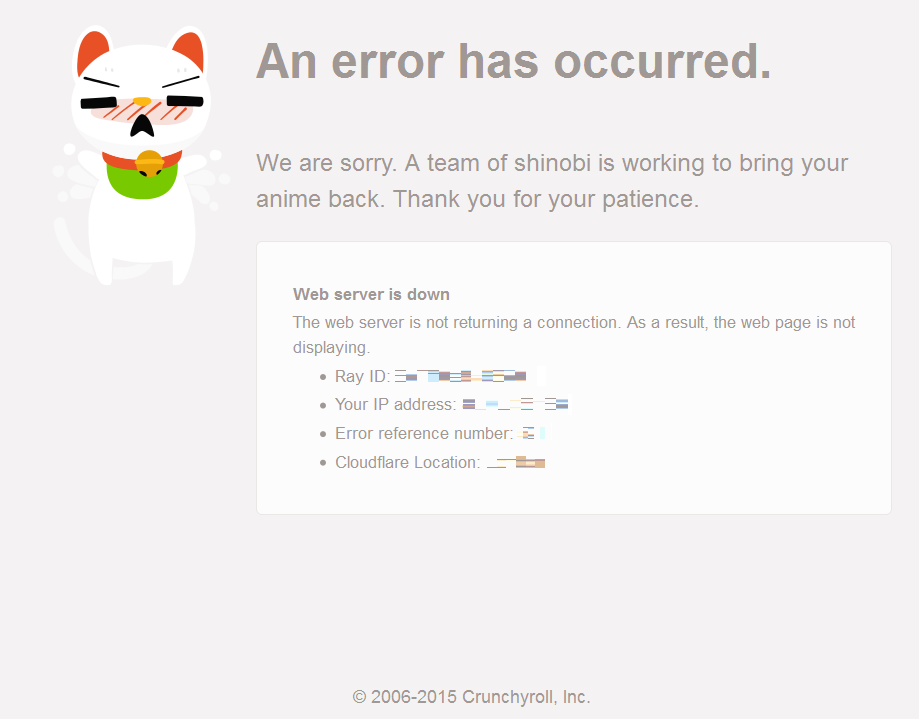
So, what happens when you visit the CrunchyRoll website? Curently, you get a message the website has encountered an error:
Figure 1 – CrunchyRoll error page

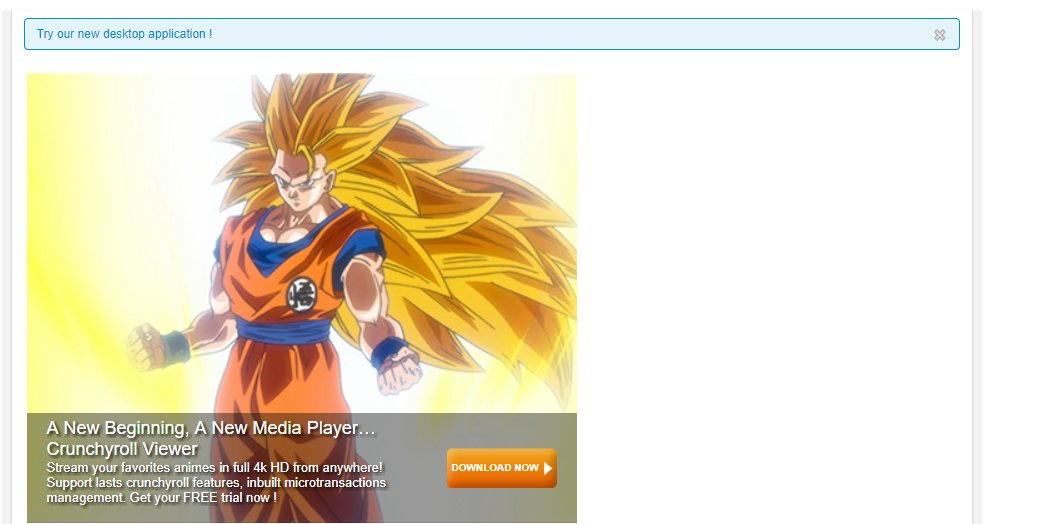
Earlier today, the CrunchyRoll website was showing the following:

Figure 2 – Likely hacked CrunchyRoll website (Image source)

While the CrunchyRoll team claims it was a DNS hijack, I have (so far) found no evidence as to the validity of this claim, and it rather appears someone was able to hack the website.

Either way, while this is bad, CrunchyRoll took swift action by taking down the website, and an investigation is under way.

What happens if you click the ‘Download now’ button? A new file, called CrunchyViewer.exe, will be downloaded from the following IP address:

109.232.225[.]12

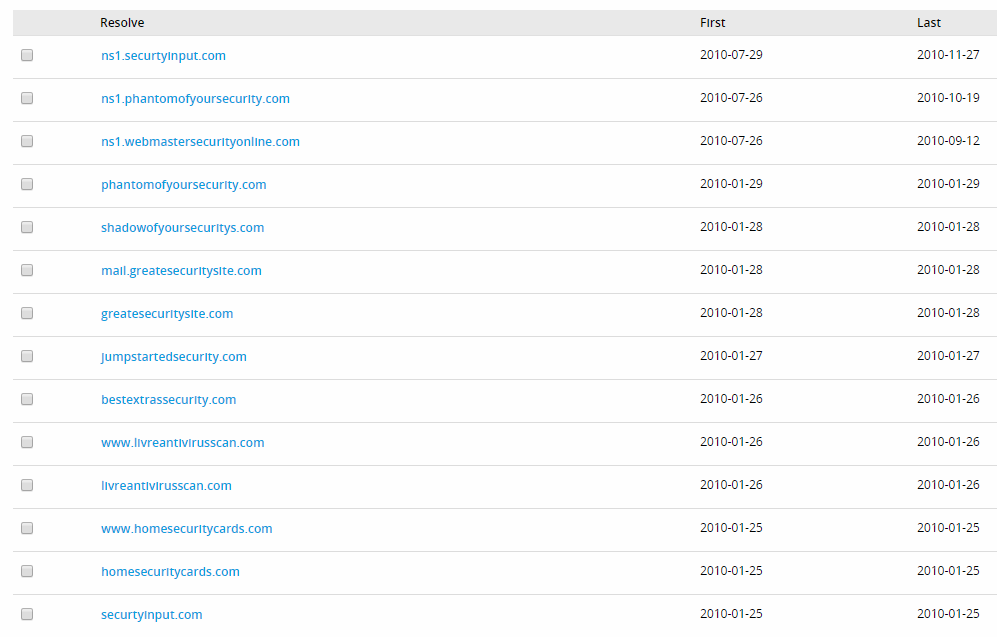
This IP appears to have hosted fake antivirus software or similar in the past:
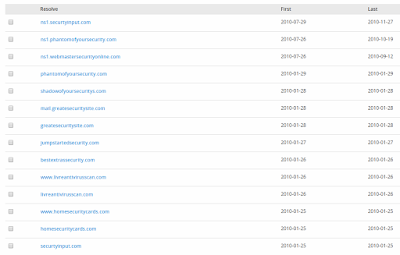
Figure 3 – Older resolutions (2010)

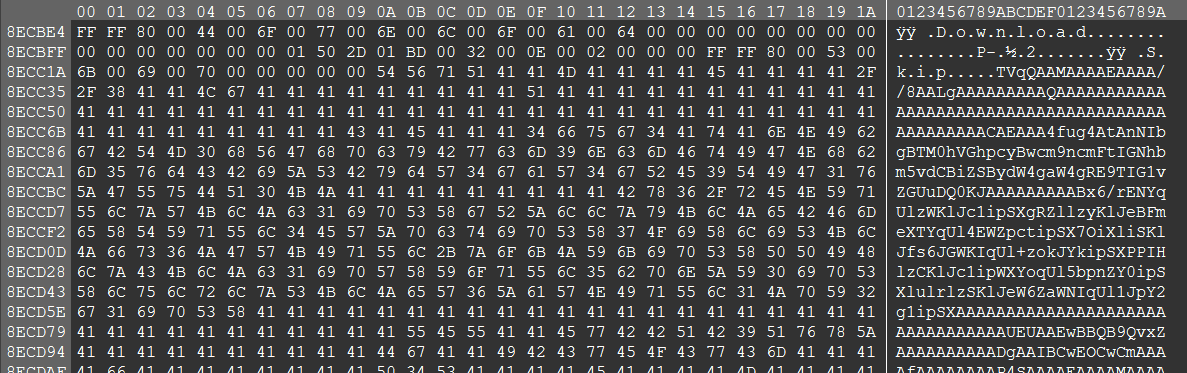
The newly download file is seemingly the legitimate CrunchyViewer or Crunchyroll, but, near the end of the file, there is a chunk of Base64 encoded data appended, as seen in Figure 4:
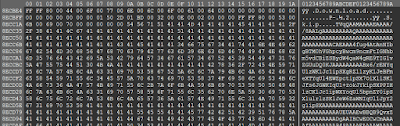
Figure 4 – base64 encoded data (click to enlarge)

Using a Base64 decoder, we get a new file, called svchost.exe. This binary will place a copy of itself in the current user’s %appdata%\roaming folder, for example:

C:\Users\Yourusername\AppData\Roaming\svchost.exe

This file will periodically call to its C2, or command-and-control server, and wait for any commands:

145.239.41[.]131

Currently, it does not appear the C2 responds on that specific port (6969), however, it is online.

There are claims the malware will additionally install ransomware – I have not observed this behaviour, but it is definitely possible once the C2 sends back (any) commands. More likely, it is a form of keylogger – malware that can record anything you type, and send it back to the attacker.

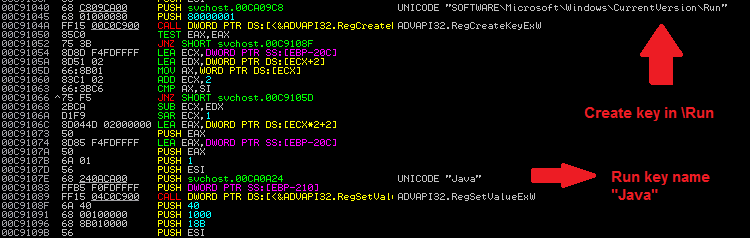
Svchost.exe will also create an autorun entry:
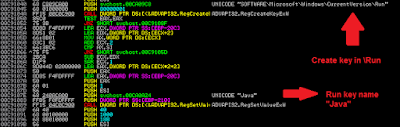
Figure 5 – newly created run key (click to enlarge)

This basically means the malware will start every time you (re)boot or restart the machine.

Just for fun, it appear that the miscreant’s name, or the person responsible for creating the malware is named Ben, as appears from the debug paths:

C:\Users\Ben\Desktop\taiga-develop\bin\Debug\Taiga.pdb 

c:\users\ben\source\repos\svchost\Release\svchost.pdb

Taiga is ‘A lightweight anime tracker for Windows’. This does not mean they are involved, but rather that ‘Ben’ has decided to include Taiga in the package.

Update: the developer of Taiga has included a fix for ‘CrunchyViewer’:
https://github.com/erengy/taiga/issues/489

Disinfection/Removal

Disinfection is rather straightforward:

  • Remove the malicious “Java” Run key, by opening Regedit, and browsing to:
    HKEY_CURRENT_USER\SOFTWARE\Microsoft\Windows\CurrentVersion\Run
  • Delete the ‘Java key;
  • Reboot your machine;
  • Remove the malicious binary, by navigating to:
    %appdata%\Roaming (for exampleC:\Users\Yourusername\AppData\Roaming\)
  • Delete the ‘svchost.exe’ file.
  • Perform a scan with your installed antivirus product;
  • Perform a scan with an online antivirus, which is different from the one you have. Alternatively, perform a scan with Malwarebytes.
  • Change all your passwords if possible. Better be safe than sorry.

Prevention

Prevention  advise in general, which also pertains to CrunchyRoll’s compromise:

  • Install an antivirus;
  • Keep your browser up-to-date;
  • Install NoScript if you have Firefox;
  • Install a ‘well-rounded’ ad-blocker, for example uBlock Origin (works with most browsers);
  • If a website you visit frequently suddenly looks completely different, or urges you to download whatever, be safe rather than sorry, and leave the website.
  • Additionally, try to Google or use social media to verify if anyone else is experiencing the same issue.

Conclusion

This hack shows that any website or organisation is, in theory, vulnerable to someone hijacking the website, and consequently download and install malware on a user’s machine.

While it is uncertain what exactly happened, CrunchyRoll took correct action by taking the website down not too long after. At this point, it is best to monitor their Twitter account, and/or wait for an official statement.

If you have not executed the file, you should be safe. Follow the prevention tips above to stay secure.

IOCs


The post CrunchyRoll hack delivers malware appeared first on Security Boulevard.

Continue reading CrunchyRoll hack delivers malware

Comparing EternalPetya and BadRabbit

I’ve created a table comparing the EternalPetya (ExPetr, NotPetya, etc.) outbreak from June, and the BadRabbit ransomware outbreak from yesterday (2017-10-24).
I have decided to not include WannaCry (WanaCrypt0r), as they are not related, while Eternal… Continue reading Comparing EternalPetya and BadRabbit

Notes on Sage 2.2 ransomware version

Sage, also known as SageCrypt, is an interesting ransomware variant – emerged somewhere in December last year, and is believed to be a variant of the CryLocker ransomware.

There’s a good blog post on BleepingComputer on the first version of Sage, id est “Sage 2”.

Yesterday, a personal friend of mine reached out, as his “computer started talking” and his files appeared to be encrypted. And indeed, it appears he suffered the latest variant of Sage: Sage 2.2

Sage 2.2 appears to have been out for a while, at least since February of this year:

Sage 2.2 sample (at 11/58): https://t.co/XsWMsPcXsj
From: nrcommerce[.]com/system/config/spam1.exe – that filename… 👏
More samples: pic.twitter.com/a2J157kjJk

— MalwareHunterTeam (@malwrhunterteam) February 21, 2017

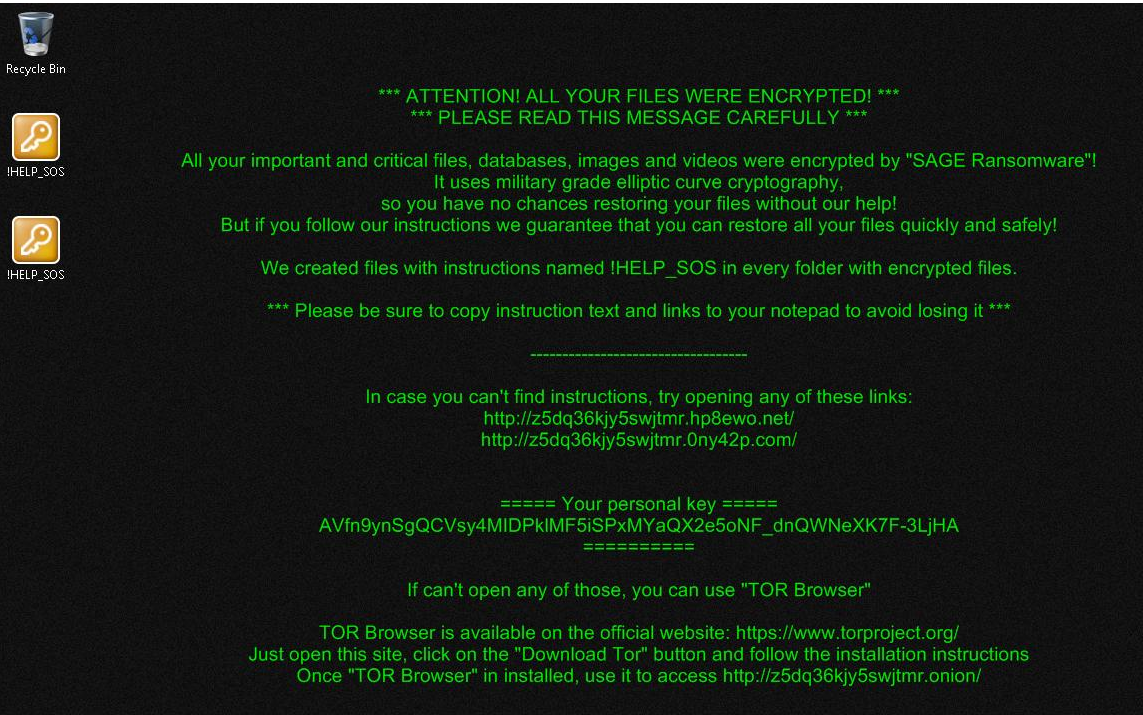
Some figures of Sage 2.2 follow below:

Figure 1 – Sage 2.2 desktop background

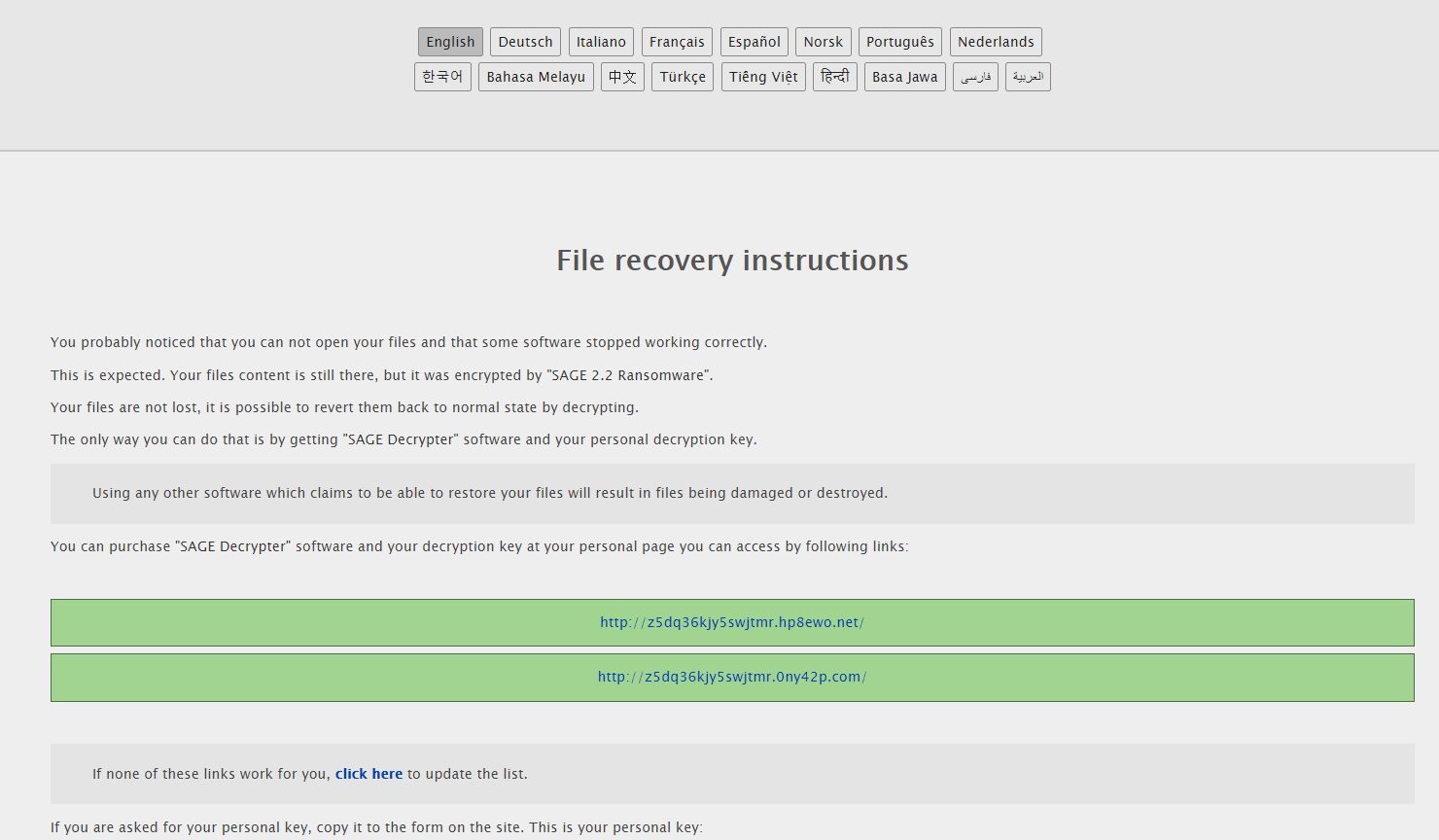
Figure 2 – Sage 2.2 file recovery instructions
The message reads:

You probably noticed that you can not open your files and that some software stopped working correctly.
This is expected. Your files content is still there, but it was encrypted by “SAGE 2.2 Ransomware”.
Your files are not lost, it is possible to revert them back to normal state by decrypting.
The only way you can do that is by getting “SAGE Decrypter” software and your personal decryption key.


Typical features of Sage 2.2, include, but are not limited to:

  • Refresh or update of payment pages is possible;
  • Ransom note (!HELP_SOS) and portal, including CAPTCHA;

And…

It speaks! Just like Cerber did at some point, Sage 2.2 has a message for the victim using Microsoft SAPI:

Figure 3 – VBscript which will speak to the victim (click to enlarge)

Interestingly enough, even though the version number still indicates 2.2, there’s at least one slight change:

  • Deletion or purge of backup catalog/history by using:
    wbadmin delete catalog -quiet

The portal or decryption pages look as follows, stepping through:

Figure 4 – Sage 2.2 user login portal
Figure 5 – Captcha
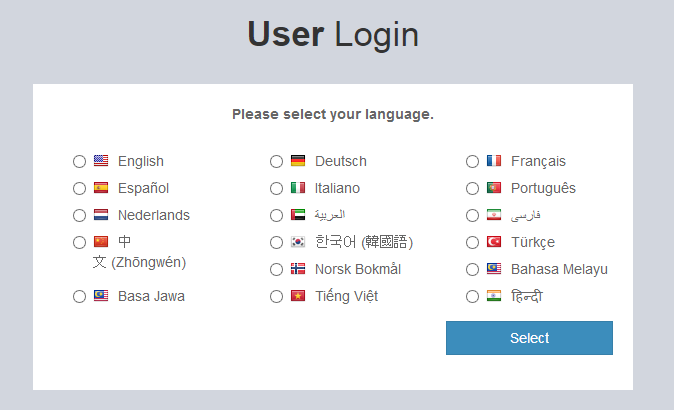
Figure 6 – Language selection
Figure 7 – Final portal

The victim can choose from a multitude of languages, and, at the final portal, there is a special prize for the decryption, for a selected time (7 days): currently 0.17720 BTC, which is about $1000.

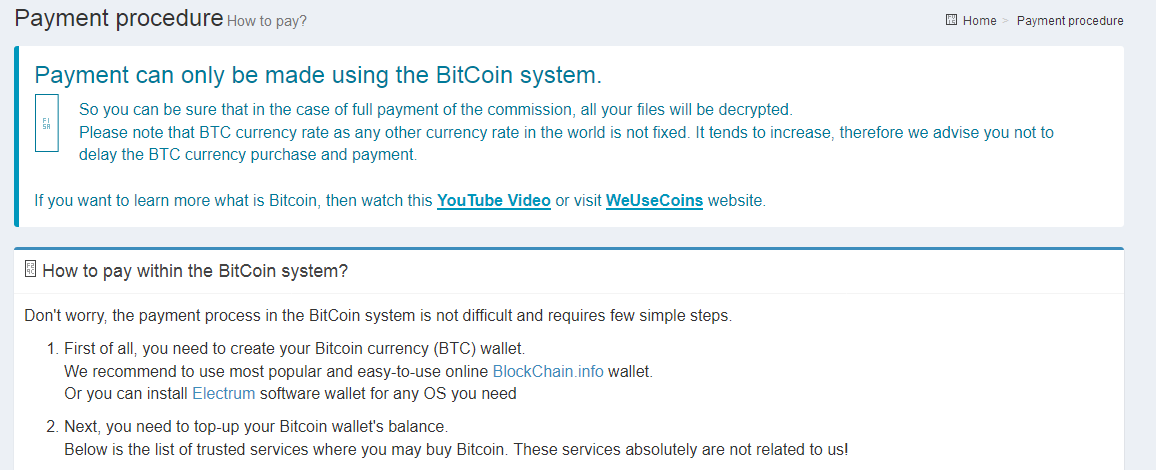
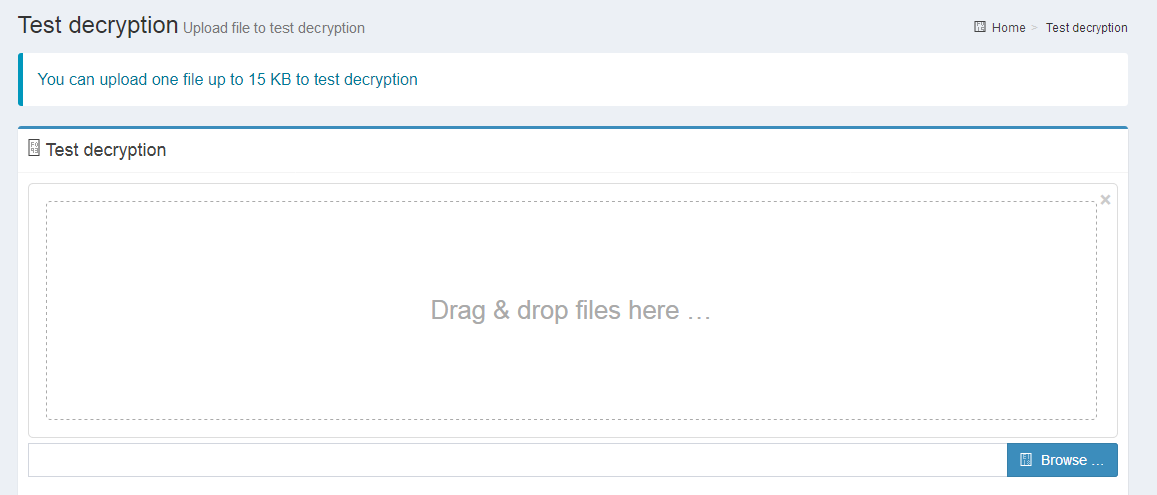
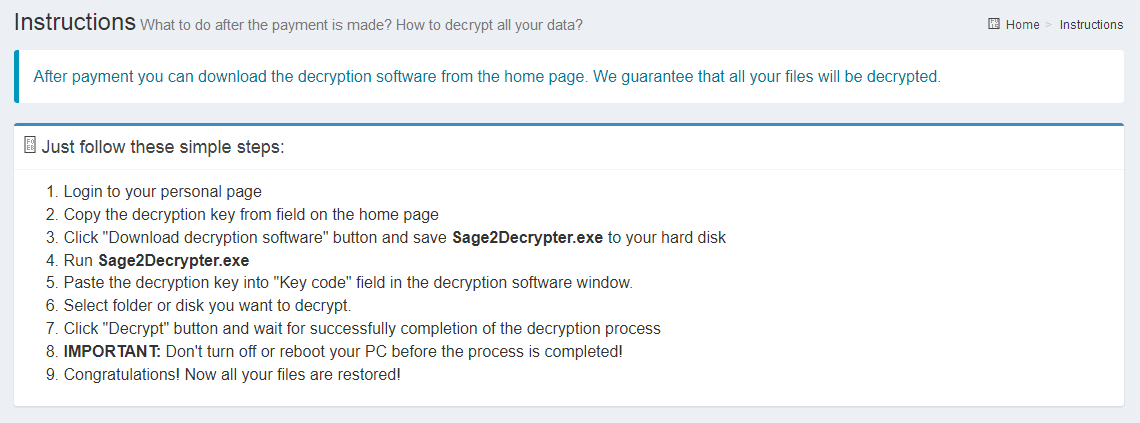
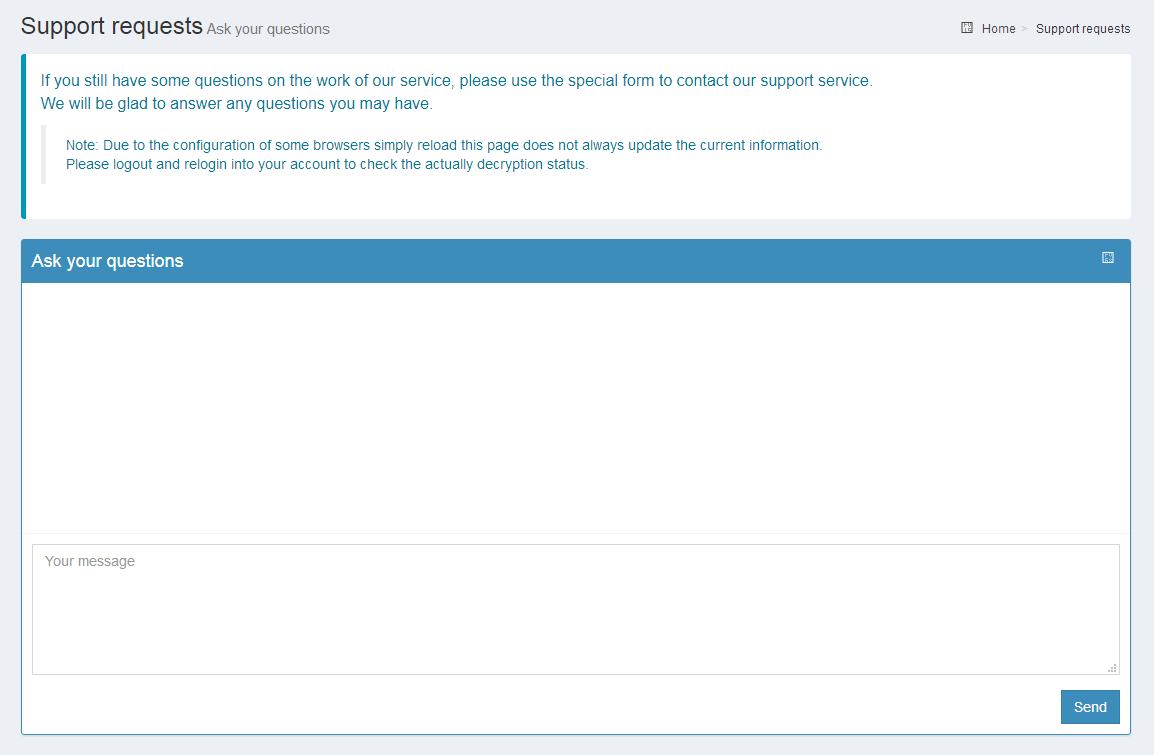
As usual, there’s a Payment, Test decryption, Instructions, and even a Support tab:

Figure 8 – Payment tab
Figure 9 – Test Decryption tab
Figure 10 – Instructions tab
Figure 11 – Support requests tab

Sage 2.2 will append the .sage extension to encrypted files and currently, it does not appear files can be decrypted without the cybercriminal’s help.

As always, try to restore from a backup if possible, and avoid paying the ransom.

Additionally, have a look at my ransomware prevention page, on how to protect yourself.

IOCs

The post Notes on Sage 2.2 ransomware version appeared first on Security Boulevard.

Continue reading Notes on Sage 2.2 ransomware version

Crystal Finance Millennium used to spread malware

Earlier today, Costin from Kaspersky tweeded the following intriguing tweet:

The Crystal Finance Millennium website in Ukraine has been hacked and distributing malware since at least August 18.

— Costin Raiu (@craiu) August 23, 2017

After some hunting, it was revealed the Crystal Finance Millennium website was indeed hacked, and serving three different flavors of malware. In this short blog post, we’ll take a look at the malware variants that were distributed, and provide minimal background.

Introduction

Crystal Finance Millennium’ website is currently taken offline by the hosting provider, but archives of the website exist online.

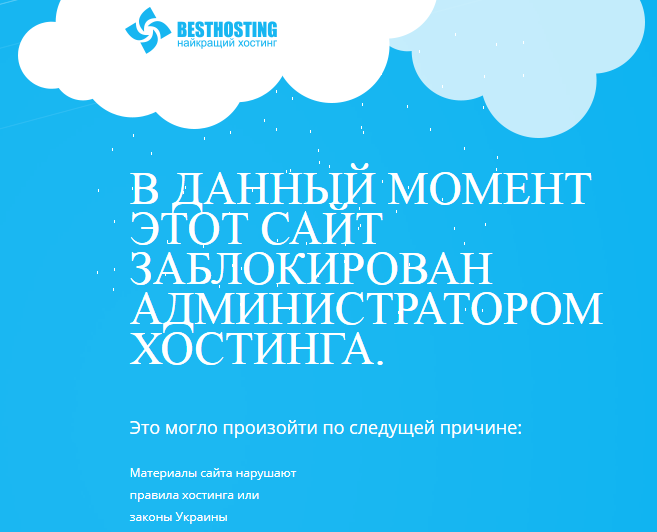
Figure 1 – “At this moment the site is blocked by the hosting administrator”
From the archived webpage, it becomes apparent they provide accounting software, peronalisation of medical records, blood service and “full automation of the doctor’s office” – contrary to what their company name suggests, it appears they are (mostly) focused on medical software.

Figure 2 – archived webpage of CFM’s services

Moving on to the malware present on their website:

Smoke Loader
Smoke Loader, also known as Dofoil or Sharik, is a botnet with the main purpose of downloading other malware – a downloader. 
Smoke Loader was originally downloaded from:
hXXp://cfm.com[.]ua/awstats/load.exe         

Additionally, it was also mirrored at:
hXXp://nolovenolivethiiswarinworld[.]com/ico/load.exe

Smoke Loader drops itself in a random directory inside the user’s %appdata% folder, for example:
\AppData\Roaming\Microsoft\sfujsddu\

Additionally, it performs an HTTP POST request to the following domains:
contsernmayakinternacional[.]ru
soyuzinformaciiimexanikiops[.]com
kantslerinborisinafrolova[.]ru

We won’t go any further into Smoke Loader here, but there’s an excellent blog post by @hasherazade over at Malwarebytes here:
Smoke Loader – downloader with a smokescreen still alive

Chtonic

Chtonic is a banking trojan and derivative of Zeus, well-known banking malware. Zeus, also known as Zbot, was leaked several years ago and has since then spawned multiple new, and often improved, banking trojans.

Chtonic uses a custom encryptor and, as a result, its payload hash will differ every time.

Chtonic was downloaded as a dropper from the following websites:

hXXp://nolovenolivethiiswarinworld[.]com/ico/load.exe

hXXp://crystalmind[.]ru/versionmaster/nova/load.exe         

Additionally, it drops its payload into the user’s %appdata% folder; for example:
\AppData\Roaming\Microsoft\MicrosoftStart.exe

While Smoke Loader employs totally random filenames, Chtonic tries to hide by looking like a legitimate program.

It performs an HTTP POST request to the following domain:
nolovenolivethiiswarinworld[.]com

Interestingly enough, Chtonic was spotted in June targeting a government institution in Ukraine:
Chthonic Trojan is back in nation-state cyberattack against Ukraine

Whoever’s behind this Chtonic campaign however, has a sense of humour by sporting the followng debug path: C:\postmaster\merge\Peasants\Billy.pdb

Chtonic will also create a simple batch file which goes through a loop and will delete the dropper and the batch file once it has installed the payload.

PSCrypt

PSCrypt, which is based on GlobeImposter, another ransomware variant, has been hitting Ukraine in the past:
https://www.bleepingcomputer.com/news/security/before-notpetya-there-was-another-ransomware-that-targeted-ukraine-last-week/

Interestingly enough, the same PSCrypt campaign was spotted earlier this month by @malwarehunterteam:

Looks like PSCrypt actors started a new campaign targeting Ukraine in past 2 days…@BleepinComputer @demonslay335

— MalwareHunterTeam (@malwrhunterteam) August 16, 2017

This tweet suggests the attacks started as early as the 14th of August.

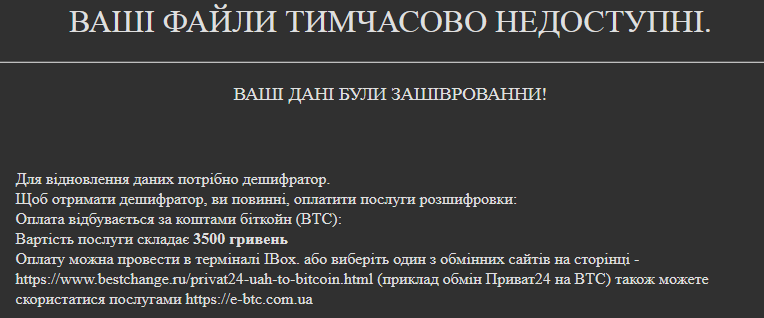
PSCrypt will encrypt files and append an extension of .pscrypt – in order to restore your files, which asks for 3500 Hryvnia (~ EUR 115):

Figure 3 – PSCrypt ransom message

PSCrypt provides a fully detailed ransom message on how to send bitcoins to the cybercriminal, as well as a personal ID (“Ваш личный идентификатор”).

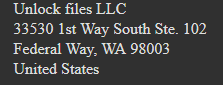
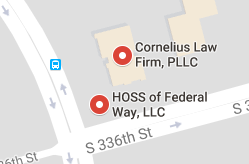
Whoever’s behind this PSCrypt campaign also shows sign of humour, indicating an address in the US, pointing to a company called “Unlock files LLC”. Such company does not exist:

Figure 4 – Unlock files LLC address
Figure 5 – Companies at the same address

Unfortunately, the Bitcoin address shows a history of already paid ransoms, dating back to the 15th of August: 1Gb4Pk85VKYngfDPy3X2tjYfzvU62oL

A total of 0.0924071 has been received, which is around EUR 328.

Since the first payment was on the 15th of August, this supports the theory of CFM’s website being compromised at least before or on the 15th, quite possibly the 14th.

The general recommendation is to NOT pay, but rather restore files from a backup.

Conclusion

While Crystal Finance Millenium’s website was hacked, it’s possible its software was not affected. In the mean time, I’d advise to not upgrade or update any software belonging to the company, but rather wait for an official statement from their side.

The hacking of a company or personal website can always happen, and as such, it is important to act fast once it’s happened – the (hosting) company did the right thing to take the website offline while things are being fixed in the background.

The bigger question here is if it may be a targeted attack – recently, Ukraine has been targeted heavily by not only EternalPetya (also known as NotPetya), but also by Xdata and PSCrypt. Additionally, seemingly targeted attacks had Chtonic as payload, and, as reported in this blog post, another software company in Ukraine has been compromised.

As usual, best is to wait until further data is available before making any judgments.

Prevention advise for ransomware can be found on my dedicated page about ranomware prevention:
https://bartblaze.blogspot.co.uk/p/ransomware-prevention.html

And, as always, indicators of compromise (IOCs) can be found below, as well as additional resources.

IOCs


Resources

New Cyberattack wave is launched using officialweb site of the accounting software developer«Crystal Finance Millennium» (PDF)
“Crystal Attack” analysis – behavior analysis of the “load.exe” sample (PDF)

Continue reading Crystal Finance Millennium used to spread malware

Posted in SBN