Skip to content

WindowsTechs.com

Collaborate Disseminate

Menu

Primary menu

  • Home

Tag Archives: Desktop

Keep Tabs on PC Use with Custom Analog Voltmeter
Posted on April 26, 2024 by Bryan Cockfield

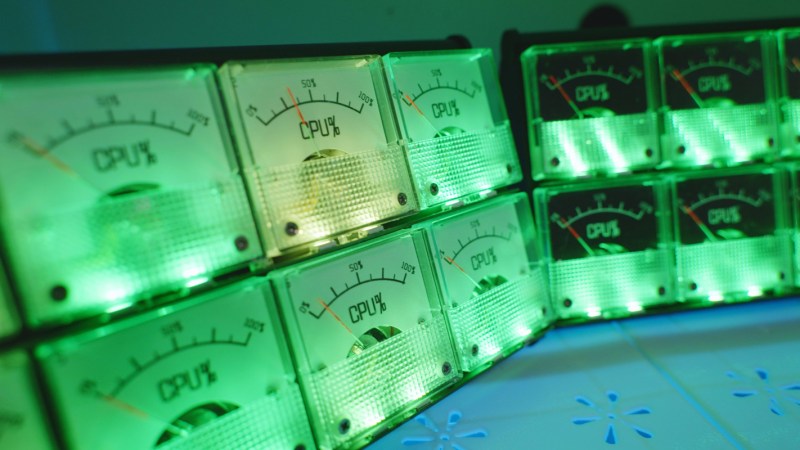
With the demands of modern computing, from video editing, streaming, and gaming, many of us will turn to a monitoring system of some point to keep tabs on CPU usage, …read more Continue reading Keep Tabs on PC Use with Custom Analog Voltmeter→

Posted in computer hacks, CPU, display, ESP32, LEDs, pwm, rgb, usage, voltmeter, Windows | Tagged Computer, Desktop, Monitor

Upgrading PC Cooling With Software

Posted on March 10, 2024 by Bryan Cockfield

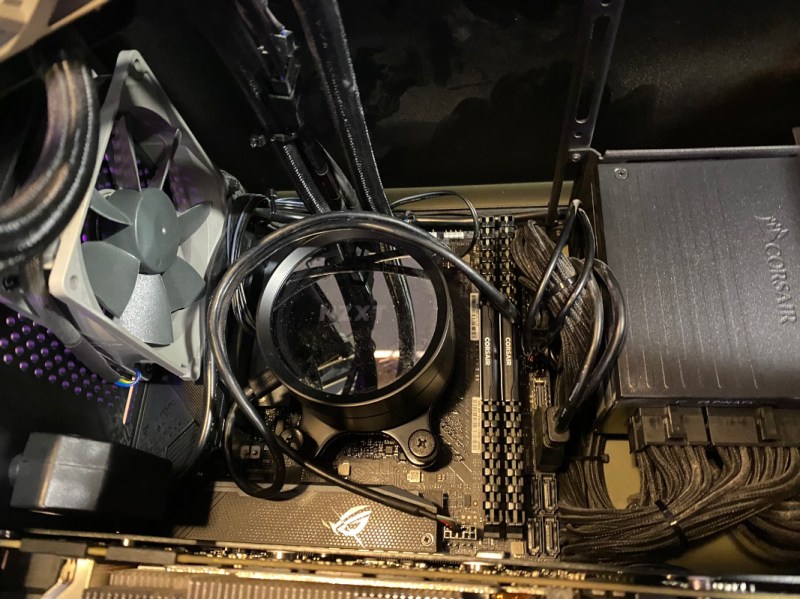
As computing power increases with each new iteration of processors, actual power consumption tends to increase as well. All that waste heat has to go somewhere, and while plenty of …read more Continue reading Upgrading PC Cooling With Software→

Posted in computer hacks, fans, gaming, heat, linux, liquid cooling, PC cooling, performance, systemd, water cooling | Tagged Desktop, Sensors, Temperature

Desktop Refresh option not working in Windows 11

Posted on March 6, 2024 by AnandK@TWC

It can be frustrating if the desktop refresh option is not working in Windows 11. This feature is essential, at times, for keeping your desktop up to date with the latest changes. All you need to do is select the option from the right-click context men… Continue reading Desktop Refresh option not working in Windows 11→

Posted in Windows | Tagged Desktop

Widgets (23H2, M5)

Posted on February 25, 2024 by Paul Thurrott

Windows 11 includes a Widgets feature that consists of a Widgets button on the left end of the Taskbar and a pop-up widget board that displays notifications for important news and events, widgets, and a Microsoft Start news and general interests feed.
… Continue reading Widgets (23H2, M5)→

Posted in Premium, Windows 11 Field Guide | Tagged Desktop

Copilot (23H2)

Posted on December 13, 2023 by Paul Thurrott

Windows 11 version 23H2 introduces a new Artificial Intelligence (AI) companion called Copilot that combines the content creation capabilities and intelligence of Microsoft Copilot in Bing with a limited selection of useful Windows setting configuratio… Continue reading Copilot (23H2)→

Posted in Premium, Windows 11 Field Guide | Tagged Desktop

Quick Settings (23H2)

Posted on December 10, 2023 by Paul Thurrott

Quick settings is a new Windows 11 feature that appears when you select the Network, Volume, or Power buttons in the Taskbar’s system tray. As its name suggests, Quick settings provides quick access to commonly needed system settings like Wi-Fi, Blueto… Continue reading Quick Settings (23H2)→

Posted in books, Premium | Tagged Desktop

Search (23H2)

Posted on December 9, 2023 by Paul Thurrott

As with its predecessors, Windows 11 offers an integrated Search feature that’s accessible from the Taskbar or the Start menu. Search helps you find apps and documents on your PC as you would expect, but it also searches the web and can find other type… Continue reading Search (23H2)→

Posted in Premium, Windows 11 Field Guide | Tagged Desktop

Widgets (23H2)

Posted on December 7, 2023 by Paul Thurrott

Windows 11 includes a news and interests feed called Widgets that consists of a Widgets button on the Taskbar and a widget board that displays widgets and news and interests content cards.
Widgets appear as cards of dynamic information culled from Micr… Continue reading Widgets (23H2)→

Posted in Premium, Windows 11 Field Guide | Tagged Desktop

Taskbar (23H2)

Posted on December 5, 2023 by Paul Thurrott

Though most of the items it contains are now centered by default, the Windows 11 Taskbar looks and works much like those in previous Windows versions. But it has also been simplified, so some options you may have used in the past are either missing or … Continue reading Taskbar (23H2)→

Posted in Premium, Windows 11 Field Guide | Tagged Desktop

Start (23H2)

Posted on December 3, 2023 by Paul Thurrott

Start in Windows 11 is significantly different than that in Windows 10 and previous Windows versions. As with the Taskbar, Start is now centered onscreen by default, and for the first time, it is a floating window, and not a menu or full-screen experie… Continue reading Start (23H2)→

Posted in Premium, Windows 11 Field Guide | Tagged Desktop

Post navigation

← Older posts
Newer posts →

Primary Sidebar Widget Area

Infocon Status

Internet Storm Center Infocon Status

Recent Posts

  • A USB Port by Any Other Color… July 16, 2026
  • HP Fined $14 Million For ‘Cartelization’ of Ink Cartridges, Toner, PCs July 16, 2026
  • TSMC To Invest Additional $100 Billion In Arizona July 16, 2026
  • Netflix Revenues Jump 13 Percent But Warning Signs Emerge July 16, 2026
  • Anubis ransomware: what you need to know July 16, 2026

Tag Cloud

Agriculture Alzheimer's Disease Art Audio Automation Bluetooth Building and Construction Campervan Camping Cancer Coronavirus (COVID-19) Cycling Dementia Diabetes DNA Electric Vehicles Food Home House Huawei Indiegogo MIT Mobility Moon New Atlas Audio NVIDIA Off-grid Off-road Pedal-assisted Photography Physics Radio Repair RV Samsung Satellite Sony SpaceX spoofing sustainable design The Immune System Tiny Footprint Training Water Zoom

Archives

  • Facebook
  • Twitter
  • Linkedin
  • Email
Copyright © 2026 WindowsTechs.com. All Rights Reserved.
Theme: Catch Box by Catch Themes
Scroll Up